I know the title sounds absurd. Afterall who would ever ask this stupid question, Perhaps no one. But there’s always an efficient way and an inefficient way of doing things.
Has it happened to you that you somehow stumbled upon a cool website that interests you. It’s obvious you would want to revisit it, for new content. So you would bookmark it. I still remember days when only way to access internet was cyber cafes. I had a diary in which I would write down all the websites. I wish I knew better.
But as happened with me the number of websites grew so much that it became a chore keep track of them. Even if you use advance bookmark managers, checking each and every website regularly becomes counter productive very quickly.
That’s where RSS comes to the rescue. Using this technology you can follow your favourite websites just like you follow someone on social media. You will automatically be notified of any new content on the website.
There are various ways to get this feed delivered to you. But most preferred is to use news aggregator apps aka RSS reader. Google reader was one of the popular apps but Google being Google killed it. But there are still some great apps around. My favourite is feedly, there are open source apps like Flym if you’re into open-source stuff.
Reasons I use feedly are
- Multiplatform support, it’s available on android, iOS, browser extensions.
- Integration with services like Evernote, Instapaper and Pocket. Which are incredible apps on their own if you want to save some articles to read later.
- Beautiful design, some websites are designed beautifully but some are verry messy, filled with ads and pop-ups. But you don’t need to worry feedly will present you the content in a readable format which will feel like reading a digital magazine.
How to use
Install the app or open the web version. Create an acount. Now go to the add content page and search for the website you are looking for or just paste the url of the website you want to follow. It will give you a list of results. If the target website has multiple rss feed it will give multiple results (like in case of news websites which has multiple pages for different cities). Select the desired result. Another interesting thing you will notice is, if you’re using the web version, it will give you number of articles a website posts per week. This will help you decide whether following the website will flood your feed eclipsing posts from other websites, happens all the time with major news outlets.
After selecting a website it will give you option to categorise it. This is very helpful if you’re following a lot of websites. You can also put a single website in multiple categories. For example a website about advertising can also fall in the category of marketing.
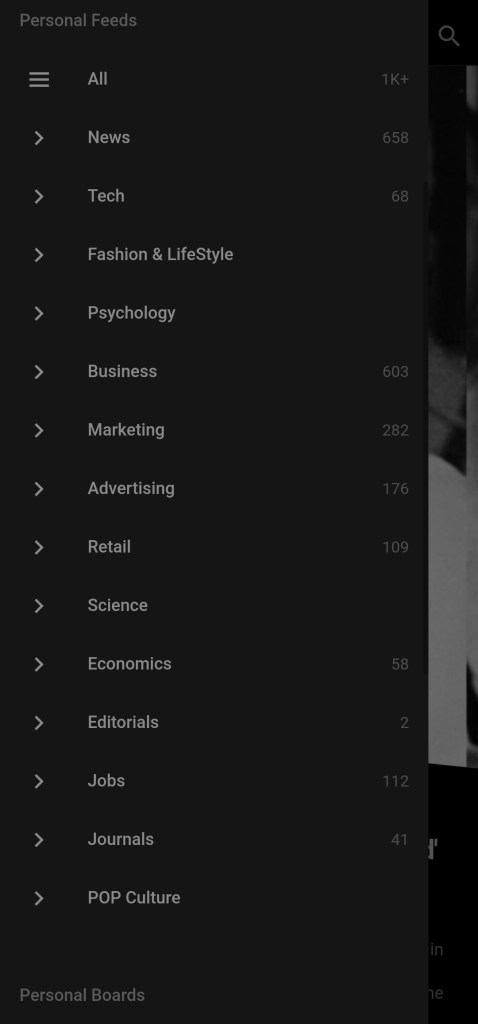
After adding all the websites you want to follow all you need to do is read. App will list all the new articles in the form news feed. As you’ll go through them it will mark them read and won’t show you next time you open the app. Convenient isn’t it.
 Curious Creature